
Creating a Customer Journey Map Product
The process of making a new internal tool to create and manage customer journey maps so clients and users can better understand complex information and make informed decisions.
Sample Prototype
Project Information
Client
9Rooftops
Industry
Industry, Industry
When
2022 - 2023
Role
UX Design
The Client and Request
The internal research team at 9Rooftops asked that we explore ways to evolve their presentation of customer journey maps. These types of documents display steps users take when interacting with a product or service to better understand their audience.
Audiences are broken down in two ways: Personas and Segments. Personas represent a type of user, while a segment can be used to group similar personas.
The existing customer journey map had issues with legibility as comments pertaining to an individuals mood were scattered throughout their respective sections. It became difficult to be consistent when the individuals mood would dictate how much space was available to add information.
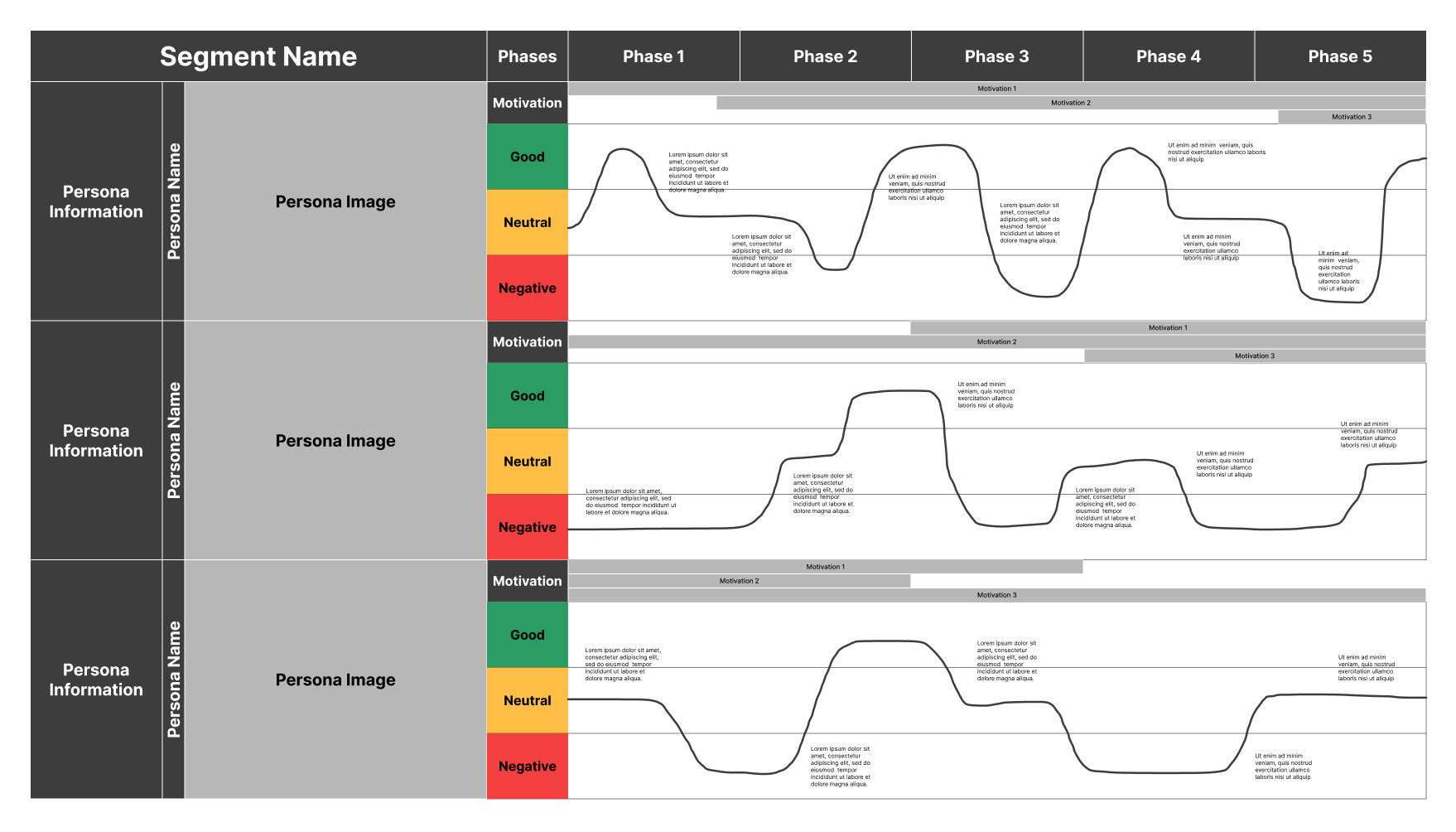
Example of existing asset showing personas, comments, and their mood overtime
Process
Research
We began by creating a list of similar tools, comparing features and pricing options between each. Most tools only enabled users to create them manually with simple shapes and text boxes, or were outside the available budget. At this point, our goal changed to creating a tool for ourselves with potential to market one day.
Sketches and Wireframing
I began by listing out various requirements and brainstorming items such as:
- How will users create segments and personas, and how are they stored?
- How are the journey maps connected to their personas? By client? By journey map?
- Can we include assets for items such as PDFs, images, or video?
- What’s our unique selling point?
The project went through many rounds of internal updates as both UX and development teams, with check-ins and testing from the research team.
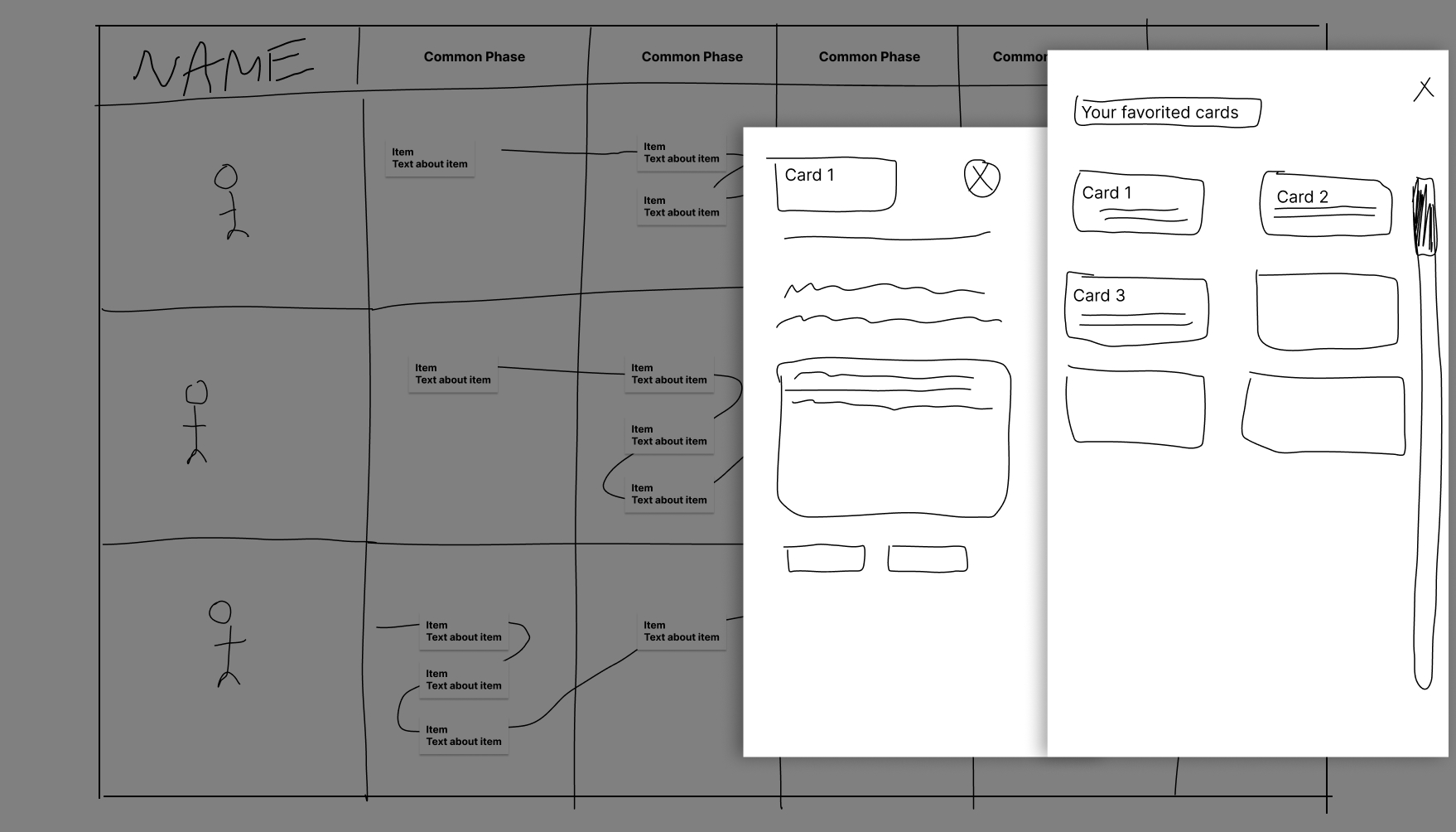
Showing some initial sketches and rough wireframes exploring ways to display content
Execution
Sample Designs
After the structure was set, we moved into design and built out each step in the process. Once users login, they can select or create new clients which contain all respective journey maps, segments, and personas.
Each client has a dashboard which shows their journey maps and segments and personas. Creating or editing segments and personas are handled with a short form.
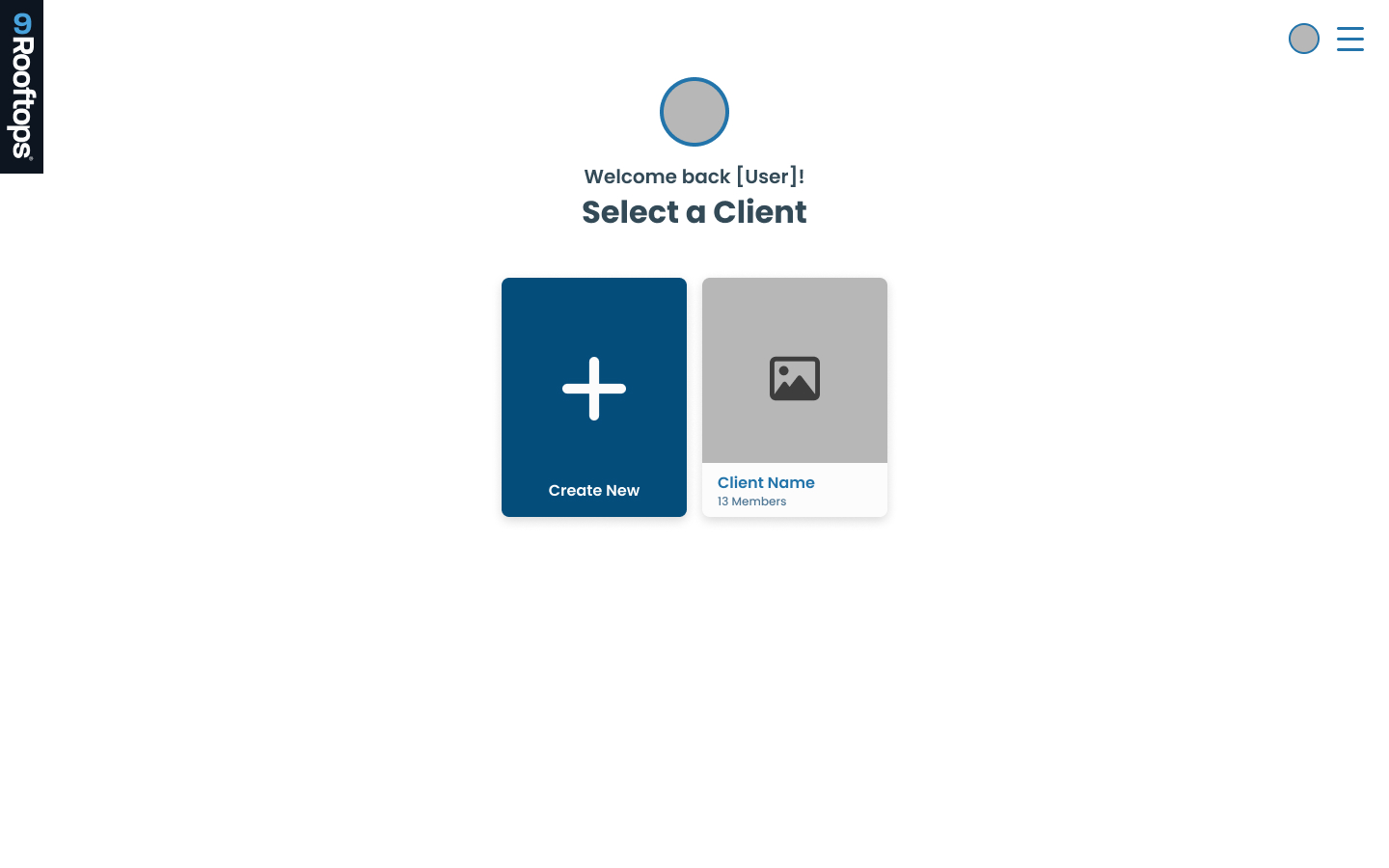
Showing Login, Dashboard, and Editing Segment pages
Conclusion
The tool was developed and used internally by the research team. It was an excellent learning opportunity not only for gaining insight on how the research team worked and an introduction into how product design can differ from UX design. I feel I am better suited for this kind of environment and I’d love the opportunity to continue expanding on it.
Back to Top
email: contact@troy-stone.com
phone: (304) 545-1061
Creating a Customer Journey Map Product
The process of making a new internal tool to create and manage customer journey maps so clients and users can better understand complex information and make informed decisions.
Sample Prototype
Project Information
Client
9Rooftops
Industry
Industry, Industry
When
2022 - 2023
Role
UX Design
The Client and Request
The internal research team at 9Rooftops asked that we explore ways to evolve their presentation of customer journey maps. These types of documents display steps users take when interacting with a product or service to better understand their audience.
Audiences are broken down in two ways: Personas and Segments. Personas represent a type of user, while a segment can be used to group similar personas.
The existing customer journey map had issues with legibility as comments pertaining to an individuals mood were scattered throughout their respective sections. It became difficult to be consistent when the individuals mood would dictate how much space was available to add information.
Example of existing asset showing personas, comments, and their mood overtime
Process
Research
We began by creating a list of similar tools, comparing features and pricing options between each. Most tools only enabled users to create them manually with simple shapes and text boxes, or were outside the available budget. At this point, our goal changed to creating a tool for ourselves with potential to market one day.
Sketches and Wireframing
I began by listing out various requirements and brainstorming items such as:
- How will users create segments and personas, and how are they stored?
- How are the journey maps connected to their personas? By client? By journey map?
- Can we include assets for items such as PDFs, images, or video?
- What’s our unique selling point?
The project went through many rounds of internal updates as both UX and development teams, with check-ins and testing from the research team.
Showing some initial sketches and rough wireframes exploring ways to display content
Execution
Sample Designs
After the structure was set, we moved into design and built out each step in the process. Once users login, they can select or create new clients which contain all respective journey maps, segments, and personas.
Each client has a dashboard which shows their journey maps and segments and personas. Creating or editing segments and personas are handled with a short form.
Showing Login, Dashboard, and Editing Segment pages
Conclusion
The tool was developed and used internally by the research team. It was an excellent learning opportunity not only for gaining insight on how the research team worked and an introduction into how product design can differ from UX design. I feel I am better suited for this kind of environment and I’d love the opportunity to continue expanding on it.
Back to Top
email: contact@troy-stone.com
phone: (304) 545-1061
Creating a Customer Journey Map Product
The process of making a new internal tool to create and manage customer journey maps so clients and users can better understand complex information and make informed decisions.
Sample Prototype
Project Information
Client
9Rooftops
Industry
Advertising
When
2022 - 2023
Role
UX Design
The Client and Request
The internal research team at 9Rooftops asked that we explore ways to evolve their presentation of customer journey maps. These types of documents display steps users take when interacting with a product or service to better understand their audience.
Audiences are broken down in two ways: Personas and Segments. Personas represent a type of user, while a segment can be used to group similar personas.
The existing customer journey map had issues with legibility as comments pertaining to an individuals mood were scattered throughout their respective sections. It became difficult to be consistent when the individuals mood would dictate how much space was available to add information.
Example of existing asset showing personas, comments, and their mood overtime
Process
Research
We began by creating a list of similar tools, comparing features and pricing options between each. Most tools only enabled users to create them manually with simple shapes and text boxes, or were outside the available budget. At this point, our goal changed to creating a tool for ourselves with potential to market one day.
Sketches and Wireframing
I began by listing out various requirements and brainstorming items such as:
- How will users create segments and personas, and how are they stored?
- How are the journey maps connected to their personas? By client? By journey map?
- Can we include assets for items such as PDFs, images, or video?
- What’s our unique selling point?
The project went through many rounds of internal updates as both UX and development teams, with check-ins and testing from the research team.
Showing some initial sketches and rough wireframes exploring ways to display content
Execution
Sample Designs
After the structure was set, we moved into design and built out each step in the process. Once users login, they can select or create new clients which contain all respective journey maps, segments, and personas.
Each client has a dashboard which shows their journey maps and segments and personas. Creating or editing segments and personas are handled with a short form.
Showing Login, Dashboard, and Editing Segment pages
Conclusion
The tool was developed and used internally by the research team. It was an excellent learning opportunity not only for gaining insight on how the research team worked and an introduction into how product design can differ from UX design. I feel I am better suited for this kind of environment and I’d love the opportunity to continue expanding on it.
Back to Top
email: contact@troy-stone.com
phone: (304) 545-1061